


Photos on a Google Business Profile show as pending while Google uploads, processes and checks them, and Google says it can take up to 24 to 48 hours before they appear. They also stay pending if the profile isn't verified, because owner photos only show on Google once a profile is verified. A photo marked as not approved has been flagged for breaking Google's policies and won't appear on Search or Maps.
What the photo statuses mean
When you look at the photos section of your Business Profile, each photo or video has a status. Google describes them like this:
- Pending: the photo is still being uploaded or processed, or your profile isn't verified yet.
- Not approved: the photo has been flagged and Google has found it breaks a policy. It won't show to customers.
- Live: the photo shows on Google Search and Maps.
Why photos stay pending
Google is still processing them
Google says it can take up to 24 to 48 hours for photos and videos to show on a Business Profile. If you uploaded them today, wait a couple of days before doing anything else.
The profile isn't verified
Google says photos and videos only show up after you verify your Business Profile. If your profile is new, or Google has asked you to verify again after changes, the photos will wait until that's done. Our guide to Google Business Profile verification covers the video method many businesses are asked to use.
It's a duplicate upload
Google lists duplicate uploads as one reason photos may not appear. Check whether the same photo is already on your profile before uploading it again.
Your logo needs a complete profile
For a logo to show, Google says the profile needs its basic details completed, including the business name, a valid address or location, categories, a phone number and opening hours.
Why photos get rejected
Google's help pages set out these requirements for photos:
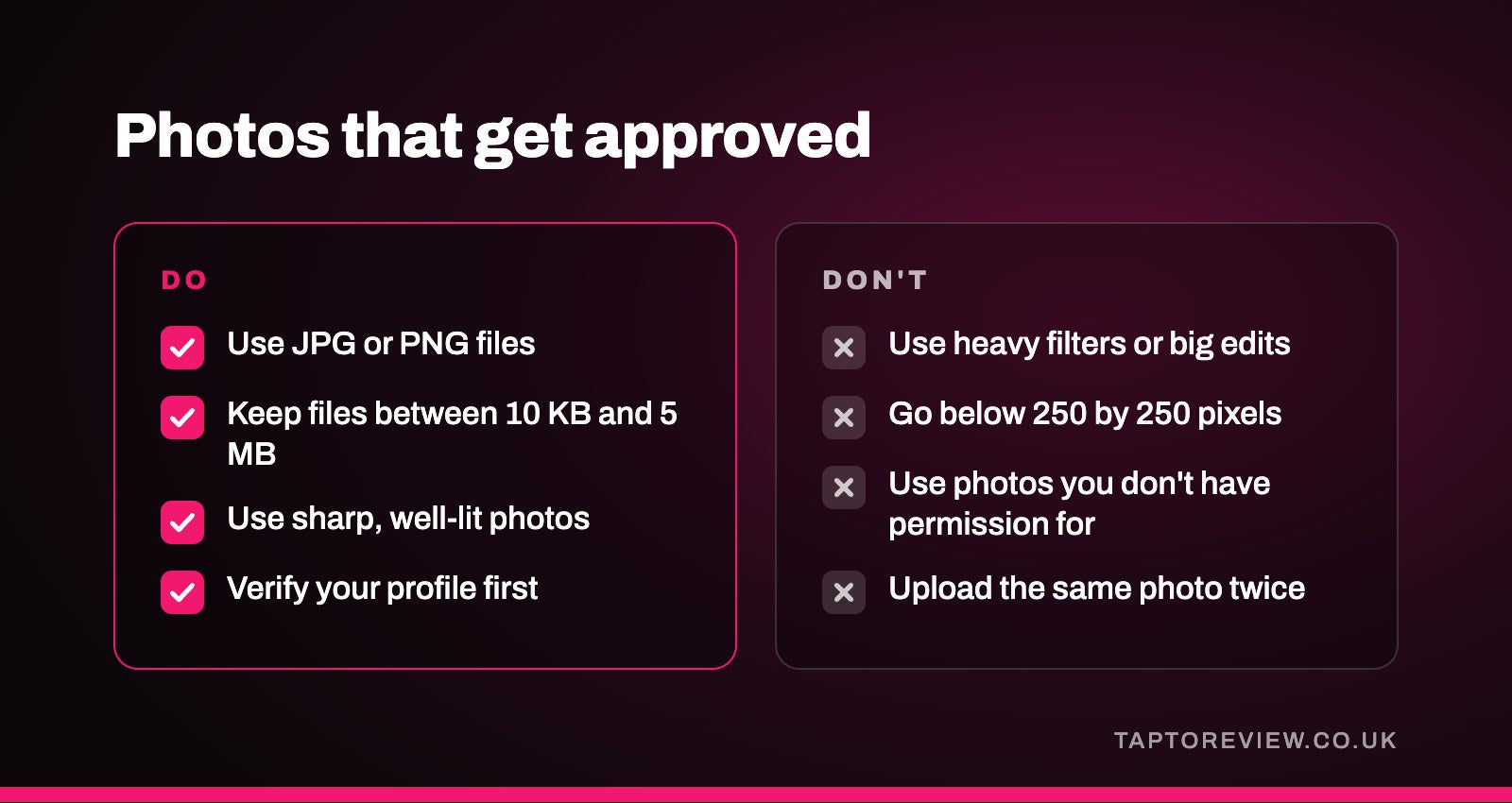
- JPG or PNG files.
- Between 10 KB and 5 MB in size.
- A recommended resolution of 720 by 720 pixels, and at least 250 by 250 pixels.
- In focus and well lit, without significant alterations or excessive use of filters, so the photo shows things as they really are.
Videos can be up to 30 seconds long and up to 75 MB, at 720p resolution or higher.
Photos also have to follow Google's content policies, which apply to everything posted on Maps. Google says you're responsible for making sure your images comply with the law, so only use photos you took yourself or have permission to use. Photos of staff are best taken with their agreement, and photos of customers only with theirs.
What to do about a rejected photo
- Check the photo against the requirements above, especially the file type, size and quality.
- If it's heavily edited, filtered, blurry or dark, take a new one and upload that instead.
- If you think it was rejected by mistake, businesses in the UK can appeal decisions on photos, videos and posts through Google's Business Profile appeals tool. Google says appeal decisions can take up to five working days.
Cover photos and customer photos
You can choose a cover photo, but Google says this doesn't guarantee it will show first. If your cover photo is low quality, or other sources suggest a better image, Google may show a photo added by a customer instead. Google's guidance is that photos should be in focus and well lit, so it's worth choosing your clearest photo of the premises or your work.
Customers can add their own photos to your profile. You can't delete those yourself, but you can report photos that are inappropriate or break Google's policies and ask for them to be removed.
Photos worth adding
- The outside of your premises, so customers recognise it when they arrive.
- The inside, showing where customers sit, wait or shop.
- Your team at work, with their agreement.
- Finished work or products, such as a finished haircut, a new kitchen or a plate of food.
Adding new photos from time to time, along with posts and replies to reviews, keeps a profile looking current. Our article on Google Business Profile posts has ideas for what to share, and if your whole profile isn't appearing, our guide to a Google Business Profile not showing in search covers the likely causes.
Common questions
How long do Google Business Profile photos take to show?
Google says up to 24 to 48 hours. They won't show at all until the profile is verified.
Why have my photos been pending for days?
If it's been more than 48 hours, check whether the profile is verified, as Google keeps photos pending until it is. Look for a prompt to verify in your Business Profile.
Can I appeal a rejected Google Business Profile photo?
Yes. Businesses in the UK can appeal through Google's Business Profile appeals tool.
Why isn't my cover photo showing first?
Google doesn't guarantee the cover photo will show first, and may use another photo if it thinks that one is better.