


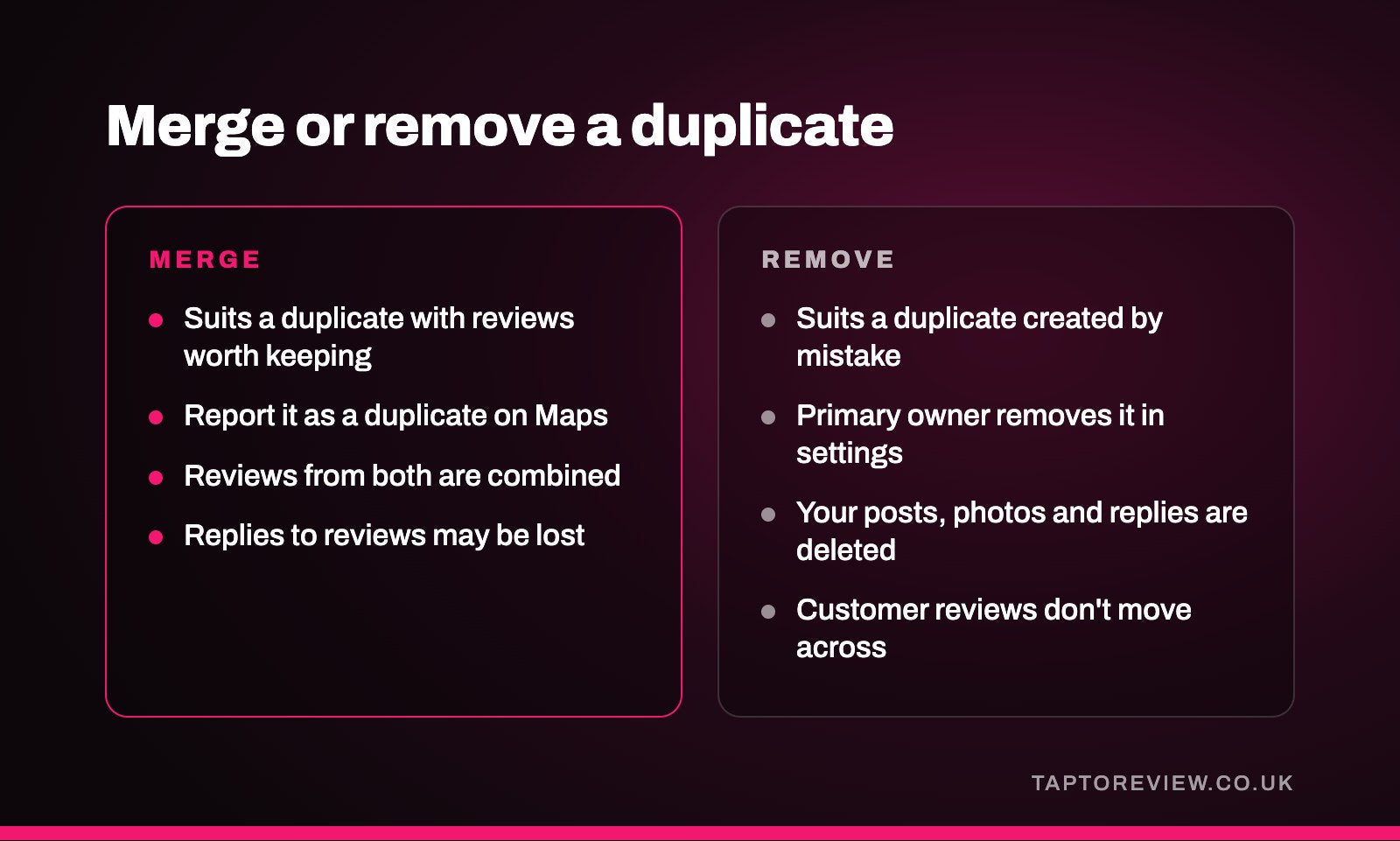
If Google shows two listings for the same business, you can usually either have them merged or remove the one you don't need. Merging suits a duplicate that has reviews worth keeping, because Google says that when two profiles are merged their reviews are combined. Removing suits a duplicate you created by mistake and have no use for. Which route you can take depends on who manages each listing.

Why duplicates are a problem
Google's guidelines say there should only be one profile per business, because duplicates cause problems with how information displays on Maps and Search, and they don't allow more than one profile for the same location. In practice, a duplicate can send customers to an old phone number or address, split your reviews across two listings, and leave customers unsure which one is current.
Duplicates usually appear when a business moves premises, changes its name, sets up a second profile after losing access to the first, or when a customer or previous owner added the business to Maps at some point.
Find every listing first
Before changing anything, search Google Maps for your business name, any old names, your postcode and your phone number, and note every listing that looks like yours. For each one, work out whether you manage it, whether someone else does, or whether nobody has claimed it. Your own profiles show up when you're signed in to the account that manages them.
Merging two listings
Google handles merges through a report on Maps. Open the duplicate listing on Google Maps, choose the option to suggest an edit, say that the place is closed or not here, and mark it as a duplicate of another place. Google says all merge requests are reviewed, and that the two profiles need to represent the same business and have the same information.
When a merge goes through, Google says the reviews from both profiles are combined, but replies to reviews may be lost. It also says reviews from both profiles can take a few days to appear on Search and Maps after a merge. If the details on the two listings don't match, for example because you've since moved, update the details you can first, as Google expects merged profiles to show the same business.
Removing a duplicate you manage
If you created a duplicate by mistake and it has nothing worth keeping, Google says you can remove it without affecting your verified profile. The primary owner can do this from the Business Profile settings, using the option to remove the profile.
Make sure you pick the right one. Google says removing a profile permanently deletes the posts, photos, videos and review replies added by owners and managers, and the content can't be recovered. Customer reviews stay with that listing rather than moving to your main one, and Google notes the listing may still appear on Search and Maps afterwards. Reporting it as a duplicate on Maps as well, as described above, asks Google to deal with the public listing.
When someone else manages the duplicate
If a verified profile for your business is managed by someone else, Google says you can request access from the current owner, who has three days to respond. If the duplicate isn't verified, you can claim it and verify it, then merge or remove it. Our guide to claiming an existing Google Business Profile walks through both routes.
After you've sorted it out
- Search for your business name and town again after a few days to check only one listing shows.
- Check your Google review link points to the profile you're keeping. Our guide on how to get your Google review link shows where to find it.
- Update anything that uses the old link, such as email signatures, QR codes on printed material, or NFC review cards and stands, so customers don't end up reviewing the wrong listing.
- Keep your name, address and phone number the same on your profile, website and signage, so a new duplicate is less likely to appear.
If your profile still isn't appearing properly, our article on a Google Business Profile not showing in search covers other causes.
Common questions
Will I lose reviews if two listings are merged?
Google says reviews from both profiles are combined, but replies to reviews may be lost. It can take a few days for all the reviews to show.
Do reviews move across if I remove a duplicate?
No. Customer reviews stay with the removed listing. If the duplicate has reviews you want to keep, ask for a merge instead.
How long does a Google merge take?
Google doesn't give a timescale for reviewing merge requests. Once a merge is done, reviews can take a few days to appear.
Can I report a duplicate listing I don't manage?
Yes. Anyone signed in to a Google account can suggest an edit on Google Maps and mark a listing as a duplicate of another place. Google reviews the report before making any change.