


To change your business name on Google, open your Business Profile on Google Search or Maps while signed in, choose to edit your profile, update the name and save it. Google reviews the change before it goes live, which usually takes up to ten minutes but can take up to 30 days, and it may ask you to verify the business again. The new name has to be the one your business really uses on its signs, website and paperwork. Adding keywords or locations to it goes against Google's guidelines and can get the profile suspended.

How to change the name
- Sign in to the Google account that manages your Business Profile.
- Open your profile, either by searching for your business on Google or through the Business section of the Google Maps app.
- Choose the option to edit your profile and update the business name.
- Save the change.
Google says it reviews changes before they go live on your profile. Its help pages say edits usually take up to ten minutes to review, but some take up to 30 days. If your profile is waiting on a postcard verification code, don't change the name, address or category until you've used the code, as Google says the code won't work after those edits.
What your business name is allowed to be
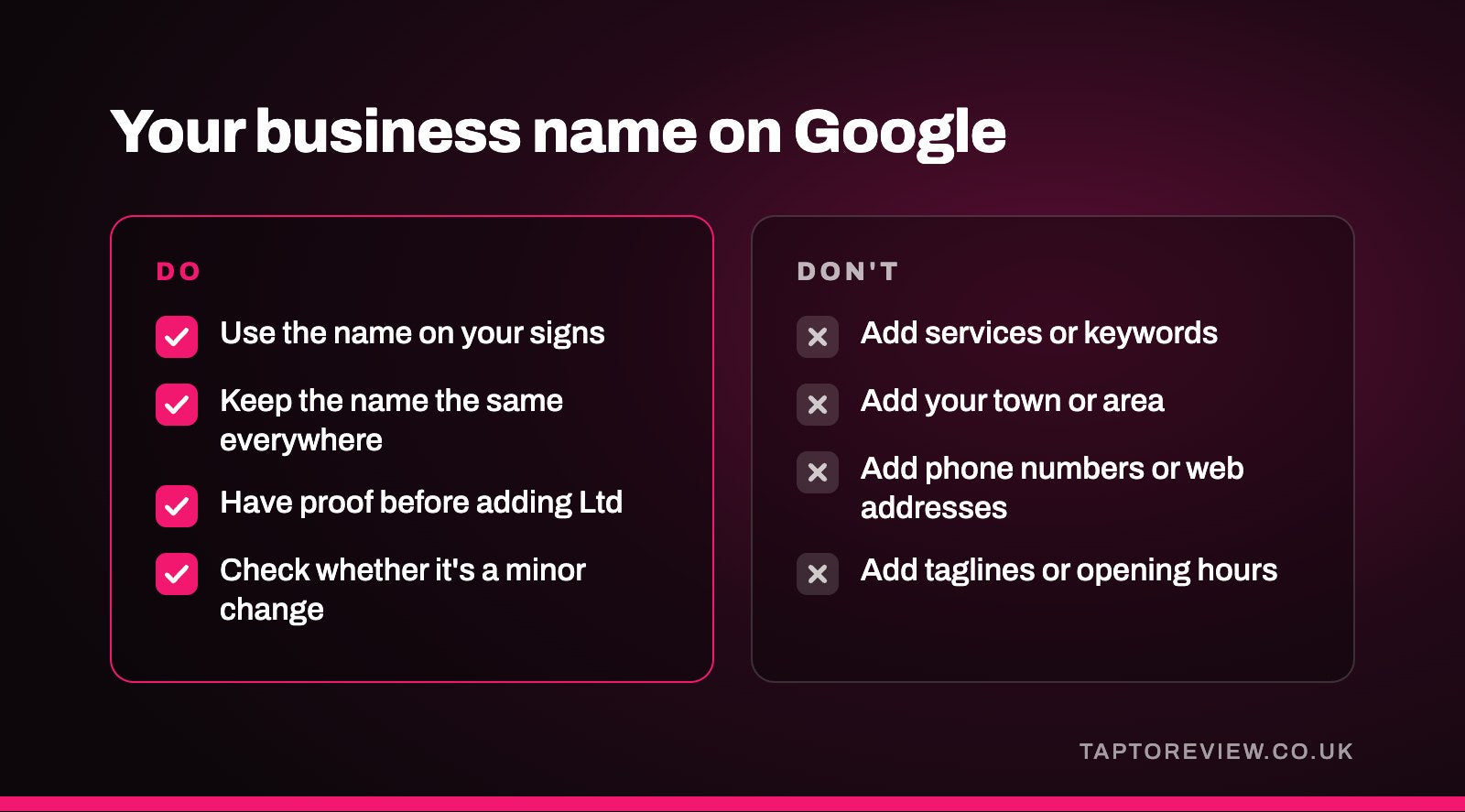
Google's guidelines say your name on Google should reflect your real-world business name, as used consistently on your signage, stationery and elsewhere, and as customers know it. The guidelines list things that shouldn't be added to the name, including:
- Marketing taglines and slogans.
- Service or product descriptions, such as "emergency plumber" or "best curry".
- Location details, such as the town or area.
- Phone numbers, web addresses and opening hours.
- Trade mark symbols, and names written all in capitals, such as SUBWAY instead of Subway.
Legal terms such as "Ltd" and special characters are only allowed if you can show real-world proof, such as signage, business cards or invoices, that the business uses them.
Keyword stuffing and suspension
Adding search phrases to a business name is often called keyword stuffing. If your van and website say "Hughes Plumbing", then "Hughes Plumbing" is the name to use on Google, and "Hughes Plumbing Emergency Plumber Cardiff 24/7" isn't. Google's guidelines say that including unnecessary information in your business name isn't permitted and could result in the suspension of your Business Profile.
Google also says it may update your profile if it receives reports that your information isn't accurate, so other people can draw attention to a stuffed name too. If a profile is suspended, getting it back means fixing the problem and appealing, which our guide to a suspended Google Business Profile explains.
A small change or a new business?
Google treats name changes in two ways. Its guidelines say a profile may be eligible for rebranding, meaning the name can be changed on the existing profile, if it's a minor name change in which the proper nouns and services described in the name stay the same and the business category stays the same. Businesses with several locations whose name changes may also be eligible. In those cases you just edit the name as above.
If the change doesn't meet those criteria, for example a hair salon called "Jones Hair" becoming "The Riverside Studio", Google considers it a new business. Its guidelines say you must mark the existing profile as closed and create a new profile under the new name. Google's guidance doesn't say whether reviews carry over in that case, so if your reviews matter to you, contact Google's Business Profile support before you make the change. If you end up with two profiles by accident, our article on duplicate Google business listings explains how to sort it out.
After you've changed the name
- Change your signage, website and social media profiles to match, so Google and customers see the same name everywhere.
- If the edit isn't approved, Google says this can happen when it can't confirm the change is accurate. Businesses in the UK can appeal rejected edits to business information through Google's Business Profile appeals tool.
- If Google asks you to verify again, follow the method it offers.
- If you had to create a new profile, it will have a new review link. Update anything that used the old one, such as email signatures, QR codes, and NFC review cards or stands. Our guide on how to get your Google review link shows where to find it.
Common questions
How long does a Google Business Profile name change take?
Google says edits usually take up to ten minutes to review, but some take up to 30 days.
Will I have to verify my business again after changing the name?
You might. Google says that if you change your business name after it's verified, you may need to verify again.
Can I add my town to my business name on Google?
Not unless it's part of your real business name. Google's guidelines list location details among the things not to add to a business name.
Why was my business name change rejected?
Google may not approve a change it can't confirm. Make sure your signs and website show the new name, then appeal the decision or try again.