


Most Google reviews appear on a business's profile shortly after the customer posts them. Google checks reviews against its policies, and its help pages say this can sometimes take a few days, which delays the review appearing. If a review still hasn't shown up after that, it has probably been held back by Google's filters, posted on a different listing, or removed by the customer.
What happens after a customer posts a review
When a customer writes a review on Google Maps or Search, it goes through Google's automated checks. These look for content that breaks Google's rules, such as spam, fake reviews, offensive language and reviews from people with a conflict of interest, like staff. Most reviews pass without any fuss and show up on your Business Profile for anyone to read. A smaller number take longer, and some never appear at all.
The customer usually can't tell which of these has happened. A review that Google is still checking, or has held back, can be visible to the person who wrote it while staying hidden from everyone else. That's why a customer will sometimes tell you they've left a review that you can't find.
Why some reviews take longer or don't show
Google's checks are taking longer than usual
Google says its policy checks can take a few days in some cases. Neither you nor the customer can hurry this along, so it's worth waiting a few days before assuming something has gone wrong.
The review was filtered
Google's systems sometimes hold back genuine reviews along with fake ones. Its policy says it removes content showing unusual volumes or patterns of reviews, so a sudden rush of reviews in a single day can attract attention. Google doesn't tell the business when a review has been filtered, and it says reviews removed for breaking its policies won't be restored.
It went onto a different listing
If there's an old or duplicate listing for your business, a customer may have found that one and reviewed it instead. Our guide to duplicate Google business listings explains how to get them merged or removed.
Two profiles have just been merged
When Google merges two profiles for the same business, it says reviews from both can take a few days to show on Search and Maps.
The customer's app is out of date
Google notes that people using older phones or older versions of the software can have trouble posting reviews, and suggests they update Google Maps to the latest version.
Reviews are switched off for the profile
Google can temporarily turn off reviews for some profiles or types of business. It has also removed reviews from profiles whose main category is a school for students aged 6 to 18. If no new reviews are appearing at all, rather than the odd one going missing, this is worth ruling out.
How to check whether a review has gone live
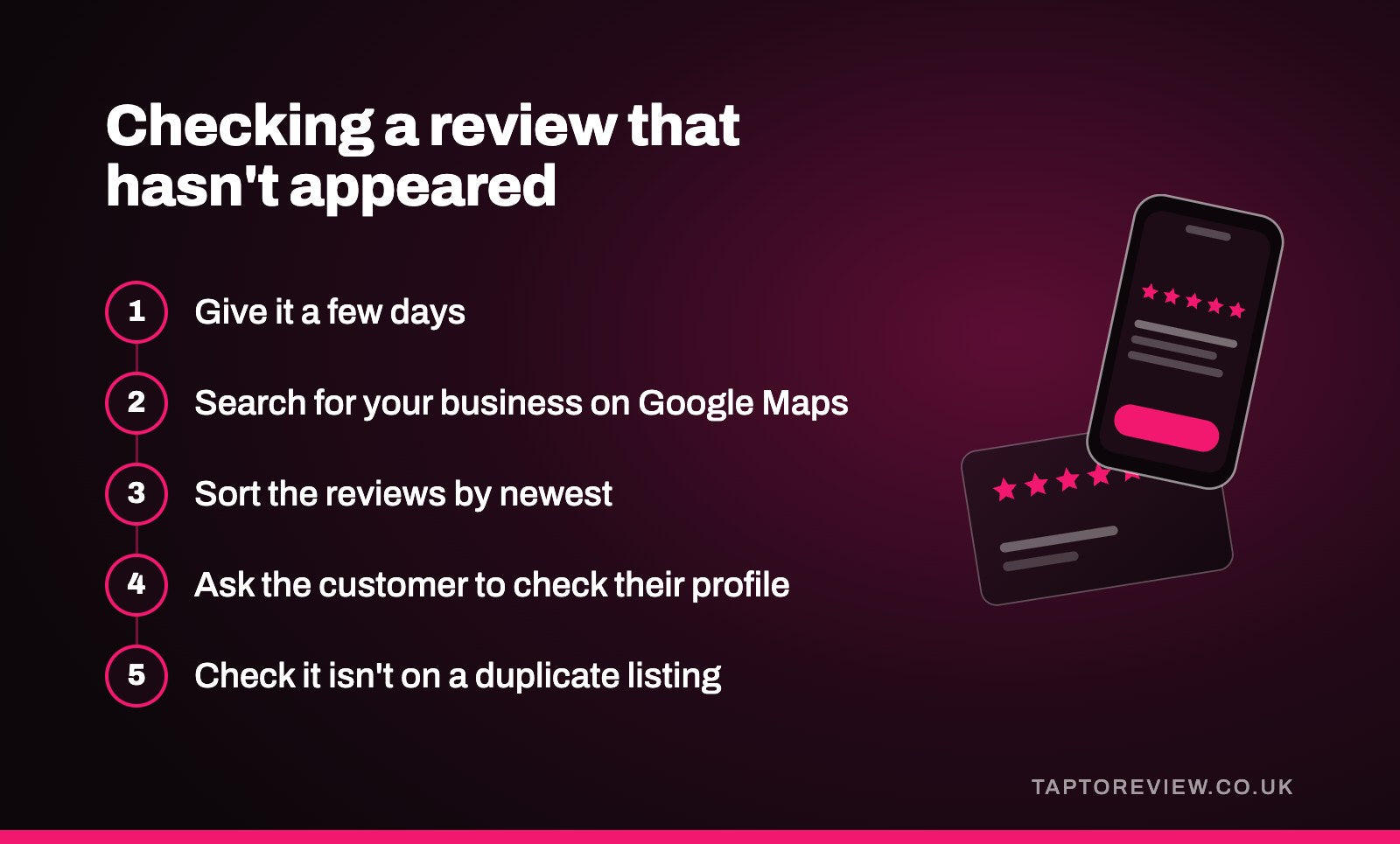
- Give it a few days, as Google's checks can take that long.
- Search for your business on Google Maps and open the reviews. Sorting them by newest puts the latest ones at the top.
- Ask the customer to open their own Google Maps profile and look at their reviews. Some people see a note there saying a review is pending or hasn't been posted.
- Check that the review is on your listing and not on an older or duplicate one.
- Bear in mind that customers can edit or delete their reviews at any time, so a review that was there last week may have been taken down by the person who wrote it.
Our article on why a Google review isn't showing goes through each of these causes in more detail.
Can you make reviews appear faster?
Not directly. Google doesn't offer businesses a way to speed up its checks, and asking a customer to post the same review again won't necessarily help. What you can do is make it less likely that genuine reviews get caught by the filters in the first place.
- Let customers review from their own phone, signed in to their own Google account. Google requires reviewers to be signed in, and a review left this way is the normal pattern it expects.
- Ask every customer as part of your usual routine rather than chasing lots of reviews in one push.
- Never offer anything in return for a review, and don't ask staff, friends or family to post one. Our guide to Google's review rules covers what's allowed.
An NFC Google review card or stand fits with the first point. The customer taps it with their own phone, your review page opens, and they leave the review from their own Google account in their own time.
Common questions
Why can the customer see their review but I can't?
Google sometimes shows a review to the person who wrote it while it's still being checked or after it's been held back. Everyone else, including you, only sees it once it's published.
Do customers need a Google account to leave a review?
Yes. Google says customers must be signed in to a Google account to leave a review.
Will Google restore a review that was removed?
Google says reviews removed for breaking its policies won't be restored, so it's usually more useful to focus on getting new reviews from the customers you see.
How long do reviews take to show after two profiles are merged?
Google says it can take a few days for reviews from both profiles to appear on Search and Maps.