


Airbnb hosts get more reviews by making check-in and the stay itself easy, sending a short thank-you message through Airbnb on the day of check-out, and reviewing each guest promptly. Guests have 14 days after check-out to leave a review, and both reviews stay hidden until both have been written or the 14 days are up. If you also take direct bookings, you can collect reviews from those guests separately, but keep them apart from your Airbnb guests.
How Airbnb reviews work
Airbnb's review system has a few features that shape when and how to ask:
- The 14-day window. Host and guest each have 14 days after check-out to write their review. After that, no review can be added.
- Reviews are published together. Reviews only go live once both of you have submitted, or once the 14 days have ended, whichever comes first. Neither side can read the other's review before writing their own.
- Editing. Whoever reviews first can edit their review until the other person submits theirs. After both are published, they can't be changed.
- Category ratings. As well as an overall rating, guests rate things such as cleanliness, accuracy, check-in and communication, so the small details of the stay count.
Because the window is short, a message on the day of check-out matters more on Airbnb than it would on a site where people can review months later.
Make the stay easy to review well
Most of the work happens before anyone asks for anything. Accuracy is one of the things guests rate, so the listing description and photos should match what they find. Clear check-in instructions sent in good time, a tidy and clean property, and a quick reply when something goes wrong all show up in the category ratings.
A short message on the first evening, asking whether everything is all right, gives guests a chance to mention a problem while you can still fix it. It's much easier to put a problem right during the stay than to explain it in a reply to a review afterwards.
Ask on the day of check-out
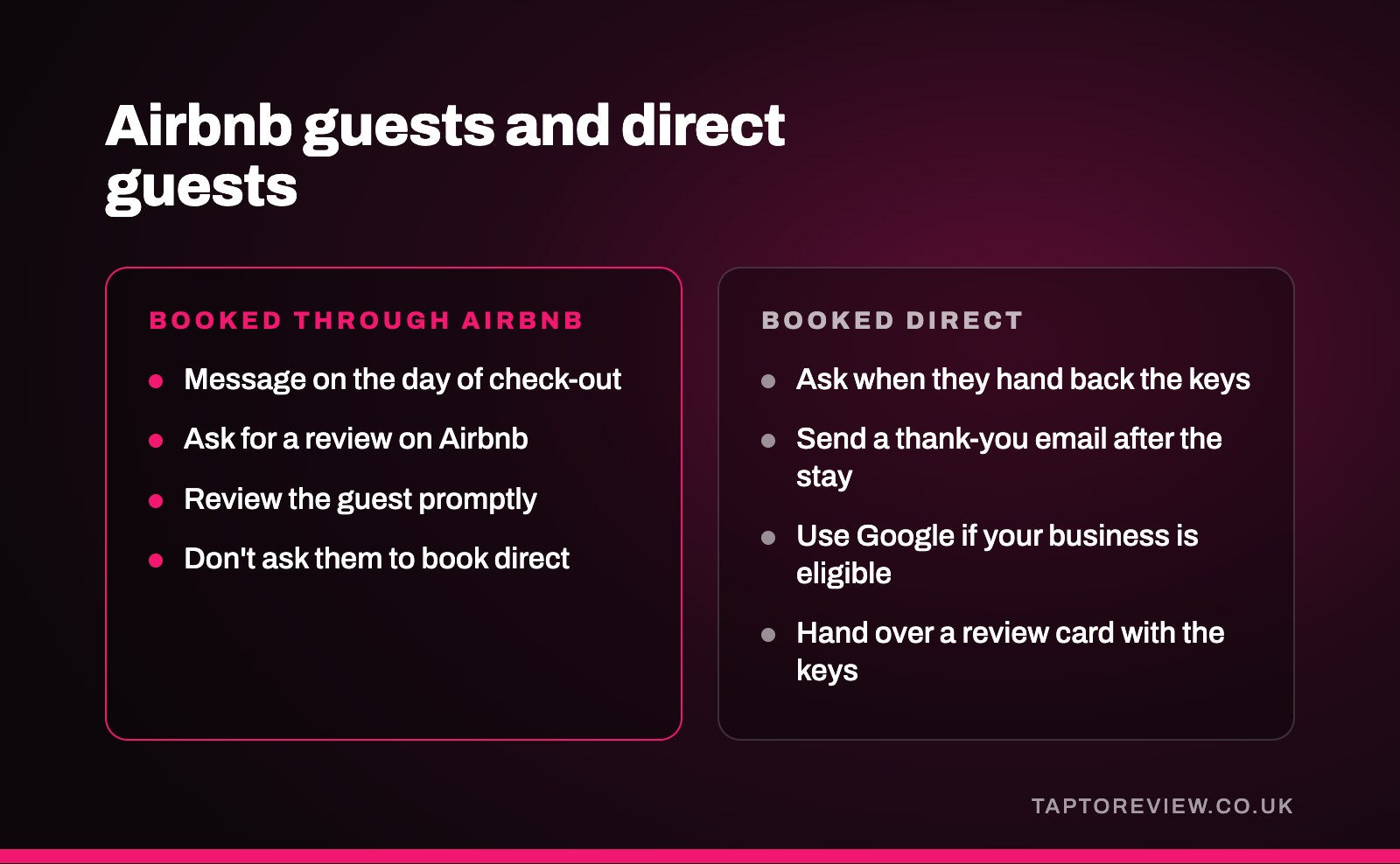
Send a short message through Airbnb's messaging on the day guests leave. Airbnb lets you schedule messages, so it can go out automatically. Keep it friendly and personal, thank them for staying, and mention the review in one line. For example:
"Hi Tom, thanks so much for staying with us this week. I hope you had a good journey home. If you have a few minutes, we'd be really grateful for a review on Airbnb, as it helps other guests decide whether we're right for them. Hope to see you again."
A line in the welcome book or on a card by the door saying the same thing also helps, especially for guests who like to write their review as soon as they've left.
Review your guests promptly
Writing your review of the guest soon after check-out is good practice anyway, and it can give the guest a reason to write theirs. Because of the double-blind system, the guest can only read what you said about them once they've reviewed you too. Keep your review of guests fair and factual, as other hosts rely on it.
What Airbnb doesn't allow
- Offering a discount, refund, gift or anything else of value in return for a review, or in return for a good one.
- Agreeing to swap positive reviews with a guest.
- Pressuring or threatening a guest over what they write.
- Using a second account or fake bookings to review your own listing.
Airbnb's off-platform rules also mean you shouldn't ask Airbnb guests to book with you directly next time. Fake reviews and paying for reviews are illegal in the UK as well, under the Digital Markets, Competition and Consumers Act 2024. Our guide to review incentives explains where the line sits.
Reviews from guests who book direct
Many hosts also take direct bookings through their own website, and those guests can't leave an Airbnb review. It's worth collecting reviews from them as well, but keep this separate from your Airbnb guests, so nothing you give an Airbnb guest points them towards booking off the platform.
Google is the obvious place, with one catch. Google's Business Profile guidelines say rental properties such as holiday homes aren't eligible for a profile on their own, and a business needs to meet customers in person during its stated hours. A single cottage with a key safe usually won't qualify. A holiday-let business with an office or reception where guests check in or collect keys may be eligible, and if yours is, guests who booked direct can review that profile.
If you do have an eligible profile, ask direct-booking guests when they collect or hand back the keys, and send your review link in a thank-you email after the stay. Our review request email templates can be adapted for holiday lets. A Google review stand (£35) on the reception desk, or a Google review card (£30) handed over with the keys, opens your review page when the guest taps their phone on it. Hotels and B&Bs face similar choices, which our guide for hotels and B&Bs covers.
Common questions
How long do Airbnb guests have to leave a review?
14 days after check-out. Hosts have the same 14 days to review the guest.
Why can't I see my guest's review yet?
Airbnb publishes reviews when both host and guest have submitted, or when the 14 days have ended. If you haven't reviewed the guest, their review stays hidden until the window closes.
Can I offer a discount on a future stay for a review?
No. Airbnb doesn't allow anything of value to be offered in return for a review, and it doesn't allow you to steer guests towards booking off the platform either.
Can my holiday let have a Google Business Profile?
A single holiday home on its own usually can't, under Google's guidelines. A holiday-let business with a staffed office or reception that guests visit may be eligible.